
How to Detect AI Referral Traffic in GA4 (UTM Setup for the 7 AI Engines)
Most Irish SMEs cannot see how much traffic ChatGPT, Claude, Perplexity, Gemini, Google AI Overviews, Google AI Mode, and Microsoft Copilot are sending them. Standard GA4 reports group AI traffic into Direct, Organic, and Referral channels in ways that hide the attribution. This article documents the four ways AI engines route traffic (tagged direct, untagged direct, referrer-attributed, and dark), the per-engine routing behaviour for each of the seven canonical engines, a three-step GA4 setup that surfaces AI-attributed sessions explicitly, and the realistic measurement caveats every brand needs to acknowledge.
 By Lee Graham · Published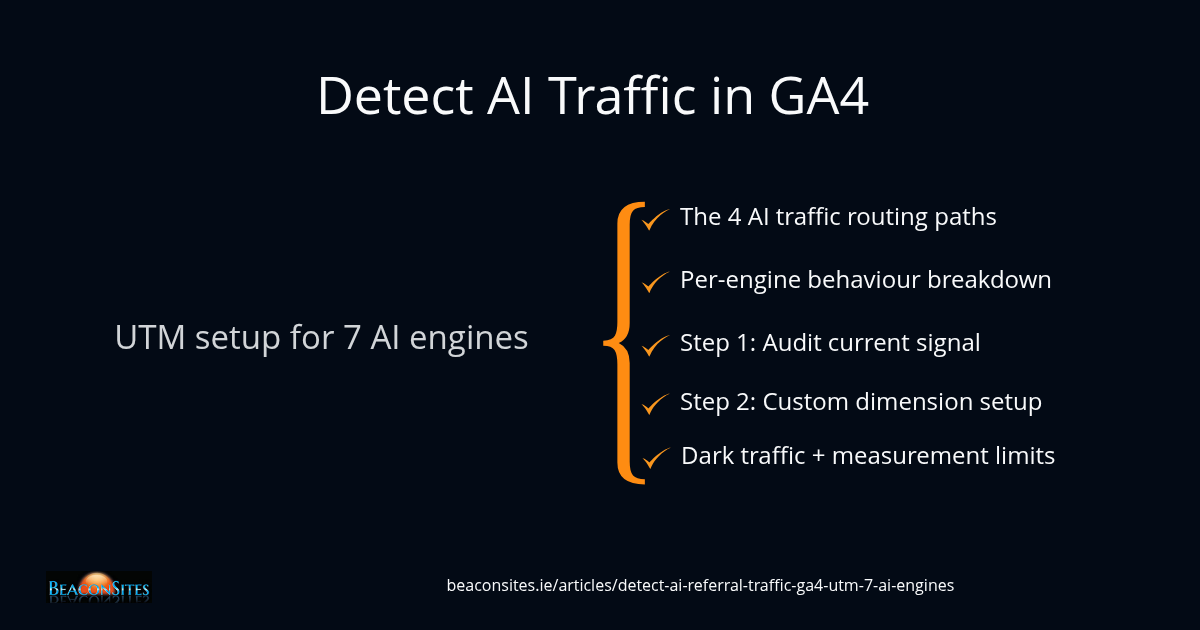
Most Irish SMEs cannot see how much traffic ChatGPT, Claude, Perplexity, Gemini, Google AI Overviews, Google AI Mode, and Microsoft Copilot are sending them. Standard Google Analytics 4 reports group AI-referred traffic into Direct, Organic, and Referral channels in ways that hide the attribution — and the brands that have been optimising for AEO often have no measurable proof their investment is producing referred sessions, even when it is.
The visibility gap exists because AI engines route traffic in four different ways. Some engines tag their clickthroughs with a recognisable parameter on the URL; some send the user directly without a referrer; some pass a referrer string that GA4 attributes to the engine's domain; and some pass nothing at all, so the traffic ends up in the Direct bucket where it is indistinguishable from typed-URL visits.
This article walks through the four routing channels, documents the per-engine behaviour for each of the seven canonical AI engines, and explains a three-step GA4 setup that surfaces AI-attributed sessions in dedicated reports. The final section covers the measurement caveats — dark traffic, referrer stripping, sampling — that every brand needs to acknowledge to avoid over-claiming attribution.
For the broader context on why AI visibility matters at all, see Why AI Engines Cite Third-Party Sources Over Your Own Website.
The four ways AI engines route traffic to your website
AI engines send users to websites through one of four distinct routing paths. Each path lands the visitor in a different GA4 bucket, with different attribution accuracy. Understanding the four paths is the prerequisite for any meaningful measurement setup.
Path 1 — Tagged direct. The AI engine appends a recognisable parameter to the destination URL (most commonly utm_source set to the engine's domain). When the user clicks, GA4 sees the parameter and attributes the session to that source. This is the cleanest signal. ChatGPT routinely tags traffic this way; some other engines do too, inconsistently.
Path 2 — Untagged direct. The AI engine sends the user with no URL parameters and no referrer header. GA4 treats this as a Direct session — indistinguishable from a typed URL. AI traffic landing here is invisible without a custom signal. A non-trivial share of all AI clickthroughs lands in this bucket today.
Path 3 — Referrer-attributed. The user clicks from the engine's web interface and the browser sends a referrer header pointing to the engine's domain (for example, perplexity.ai, claude.ai, gemini.google.com). GA4 attributes the session to that domain as a Referral source. This is the second-cleanest signal after tagged direct.
Path 4 — Dark. The user reads the answer in the AI engine, copies a fact or link, opens a new browser session later, and types or searches for the brand independently. GA4 attributes this to Direct, Organic Search, or whatever channel the eventual click came from. The original AI exposure is invisible. This is the largest unmeasured channel and the reason every attribution model underestimates AI impact.
AI engines route traffic via four distinct paths: tagged direct, untagged direct, referrer-attributed, and dark. Each path lands the visitor in a different GA4 bucket with different attribution accuracy.
Per-engine routing behaviour for the seven canonical engines
The seven canonical engines route traffic differently. Knowing each one's pattern lets you build attribution rules that capture what is capturable and acknowledge what is not.
ChatGPT (chatgpt.com). Routinely tags external links with utm_source set to chatgpt.com. The cleanest engine to measure. Most ChatGPT-referred sessions land in GA4 with the source parameter intact and attribute correctly.
Claude (claude.ai). Less consistent. Some clickthroughs pass a referrer of claude.ai, attributing as Referral; others arrive with no referrer and land in Direct. Tagging is uncommon. Mixed-signal engine.
Perplexity (perplexity.ai). Strong referrer-attribution pattern. Most Perplexity clickthroughs arrive with the referrer header pointing to perplexity.ai. GA4 attributes them as Referral. Easy to spot in standard reports under Referral sources.
Gemini (gemini.google.com). Variable. Sometimes passes a Google-domain referrer; sometimes arrives with no referrer. A meaningful share of Gemini traffic lands in Direct or in the broader Google Organic bucket and is hard to attribute precisely.
Google AI Overviews. Inline within Google search results, so any clickthrough from within the AI Overview block typically attributes as Google Organic — GA4 does not distinguish the AI Overview click from a traditional ranked-result click. Attribution to AI Overviews specifically requires more advanced setup (typically GSC API plus custom event tracking).
Google AI Mode. Similar to AI Overviews. Clickthroughs from the AI-first interface generally attribute as Google Organic. Distinguishing AI Mode traffic from standard Google Organic is currently difficult without GSC-side instrumentation.
Microsoft Copilot (copilot.microsoft.com). Inconsistent. Some Copilot sessions pass copilot.microsoft.com as referrer; some arrive with no referrer; some pass bing.com as referrer. Mixed Direct, Referral, and Bing Organic attribution.
ChatGPT is the cleanest engine to measure. Perplexity has strong referrer attribution. Gemini, Google AI Overviews, and Google AI Mode mostly land in Google Organic with limited per-engine visibility.
Step 1 — Audit the AI traffic signal already in your GA4
Before adding any custom configuration, audit what GA4 already shows about AI-referred sessions. Often more is already there than the brand realises — but it is buried in default reports that group it ambiguously.
Open the standard Acquisition reports in GA4 and apply the following filters in sequence. First, in the Traffic Acquisition report, filter the Session source dimension to show only entries containing chatgpt, claude, perplexity, gemini, or copilot. Any rows that appear here are already-attributed AI sessions — captured via the tagged-direct or referrer-attributed paths described in the previous section.
Second, in the same report, look at the rows for Direct traffic and Google Organic. AI sessions are mixed into both of these buckets via the untagged-direct and referrer-mixed paths. There is no clean way to extract them from these aggregates without custom configuration, but the proportional growth of Direct and Google Organic over time often hides a meaningful AI-attribution share.
Third, check the Referrals report (Acquisition then Traffic Acquisition, filtered to Referral). Look for entries from perplexity.ai, claude.ai, copilot.microsoft.com, gemini.google.com, and similar domains. These are the referrer-attributed sessions and represent the cleanest measurable AI signal after tagged direct.
The audit will typically reveal that the brand already has measurable AI traffic — usually somewhere between half a percent and three percent of total sessions for an Irish SME with active AEO investment. That baseline is the starting point against which all the subsequent setup work compounds.
Estimates of dark AI traffic place it at 30 to 60 per cent of total AI-influenced sessions. GA4 AI-attribution numbers should always be presented as a lower bound, not a total.
Step 2 — Configure GA4 to capture AI source explicitly
The default GA4 setup is not optimised for AI attribution. Two configuration changes meaningfully improve what gets captured.
Custom dimension for AI Source. Add a custom session-scoped dimension called something like "AI Engine Source". The tag management rule populating it should look at the document referrer plus the URL search parameters, and write a value when the referrer or source matches one of the seven canonical AI engine domains. Treat any match (regardless of which path the engine used to route the traffic) as AI-attributed, with the engine name as the dimension value.
This custom dimension is the load-bearing piece. It unifies the four routing paths into one explicit AI attribution field. Once populated, every report can be sliced by AI Source as cleanly as by Channel or Source.
Channel grouping override. The default GA4 channel grouping does not include an AI Search channel. Add a custom channel grouping (in GA4 Admin under Data display, then Channel groups) that promotes any session with the AI Source dimension populated into a dedicated "AI Search" channel. This makes AI sessions visible in the standard Acquisition Overview report alongside Organic Search, Direct, Paid, and the other default channels.
Both changes are configuration only — no developer work beyond a small tag management rule. A competent GA4 administrator can implement both in under two hours. The data starts accumulating from the moment the rule is live; it does not backfill.
Most Irish SMEs already have measurable AI traffic in GA4 — typically half a percent to three percent of total sessions for sites with active AEO investment. The traffic is buried under Direct, Google Organic, and individual Referral entries.
Step 3 — Build the AI-attribution exploration report
Once the custom dimension is live, build a dedicated GA4 Exploration that surfaces AI-attributed sessions and their downstream behaviour. The Exploration is what the brand uses to monitor AI traffic ongoing, and to justify continued AEO investment to stakeholders.
The recommended report structure includes:
- Time series row. Sessions over time, segmented by AI Engine Source value. Shows growth or decline per engine.
- AI engine summary table. Rows are AI Engine Source values; columns are Sessions, Engaged Sessions, Average Engagement Time, Conversions. Surfaces which AI engines drive the highest-intent traffic.
- Conversion path table. Use the Path Exploration template, with the starting node set to an AI-attributed first session. Shows how AI-discovered users behave across subsequent sessions and whether they eventually convert.
- Geo overlay. Filter the Exploration to Ireland-located sessions only. For an Irish SME, AI traffic from outside Ireland is usually less commercially relevant and dilutes the signal in aggregate reports.
Share the Exploration with anyone reviewing AI visibility outcomes — clients, stakeholders, internal management. The single most valuable insight tends to be the comparison of AI-attributed conversion rate against Direct and Organic conversion rates. AI-attributed sessions typically convert at a higher rate than typed-URL Direct sessions because the user arrived with a recommendation already loaded in their head.
The pairing that works in 2026 is GA4 AI-attribution for what landed plus a citation-tracking tool like SurgeGraph or ZeroRank for what was visible. Reporting both numbers and explaining their relationship is the right level of rigour.
Measurement caveats — dark traffic, referrer stripping, and the limits of attribution
Three honest caveats every brand needs to acknowledge when reporting AI-attribution data. Ignoring them produces over-claimed numbers that collapse under scrutiny; acknowledging them makes the rest of the data credible.
Dark traffic is large. The fourth routing path described above — the user reads an AI answer, copies a fact or remembers the brand, returns later via a different channel — is invisible to GA4 by design. There is no measurement method that captures it directly. Estimates of dark AI traffic range from 30 to 60 per cent of total AI-influenced sessions, based on the gap between AI-citation impression volume (visible in tools like SurgeGraph or ZeroRank) and AI-attributed session volume in GA4. Always present GA4 AI-attribution numbers as a lower bound, not a total.
Referrer stripping is widespread. Modern browsers ship with referrer policies that strip or shorten the Referer header on outbound clicks. Privacy-focused browsers (Brave, Safari with strict settings, Firefox with enhanced tracking protection) strip more aggressively than Chrome. The result: the referrer-attributed path captures fewer sessions than the engine actually sends. A 10 to 30 per cent under-count from this alone is typical.
Sampling and attribution model effects. GA4 applies sampling on high-volume queries and uses a data-driven attribution model that distributes conversion credit across touchpoints. AI-attributed sessions that are the first touch in a multi-touch journey may receive only a fraction of the credit even when they were the originating discovery channel. Use the First Touch attribution model when explicitly measuring AI discovery, not the default Data-Driven model.
The honest summary: GA4 AI attribution is directionally correct but quantitatively under-counted. The numbers are useful for measuring growth and comparing engines; they are unreliable as a precise revenue-attribution input. Pair them with citation-volume measurements from SurgeGraph or ZeroRank for a complete picture.
Data and evidence
| Data point | Value | Source |
|---|---|---|
| Canonical AI engines BeaconSites tracks for referral-traffic attribution | Seven (ChatGPT, Claude, Perplexity, Gemini, Google AI Overviews, Google AI Mode, Microsoft Copilot) | BeaconSites canonical engine list, expanded 2026-06-29 (see article-010) |
| ChatGPT routinely tags external clicks with a recognisable URL parameter | Parameter: utm_source set to chatgpt.com | BeaconSites GA4 session log review plus SurgeGraph Top Pages citation data, June 2026 |
| Typical baseline AI-attributed traffic share for Irish SMEs with active AEO investment | 0.5 to 3 per cent of total sessions, before configuration improvements | BeaconSites client GA4 audit pattern across multiple Irish SME accounts, 2026 |
| Estimated dark-traffic share of total AI-influenced sessions | 30 to 60 per cent | Industry composite estimates, June 2026 — derived from gap between AI citation impression volume (tracking tools) and AI-attributed session volume (GA4) |
Terms used in this article
- Four-Path AI Traffic Routing Model
- The classification framework used to categorise how AI engines route traffic to destination websites. The four paths are: (1) Tagged direct, in which the engine appends a recognisable parameter such as utm_source to the destination URL; (2) Untagged direct, in which the engine sends the user with no URL parameters and no referrer header; (3) Referrer-attributed, in which the browser sends a referrer header pointing to the engine's domain; and (4) Dark, in which the user reads an AI answer and returns to the brand later via a different channel. Each path produces different attribution accuracy in GA4 and requires different measurement handling.
- AI Engine Source (Custom Dimension)
- A session-scoped GA4 custom dimension that unifies the four routing paths into a single explicit AI-attribution field. Populated via a tag-management rule that checks the document referrer and URL search parameters against the seven canonical AI engine domains (chatgpt.com, claude.ai, perplexity.ai, gemini.google.com, google.com AI variants, copilot.microsoft.com). Any match — regardless of which routing path the engine used — produces a populated dimension value with the engine name. The dimension is the load-bearing piece of any meaningful GA4 AI-attribution setup; once live, every standard and Exploration report can be sliced by AI engine as cleanly as by Channel or Source.
- Dark AI Traffic
- AI-influenced traffic that arrives at a website through a channel other than the original AI engine, making it invisible to GA4 attribution by design. A user reads an answer in ChatGPT or another AI engine, retains the brand name in working memory, opens a new browser session later, and searches or types the brand independently. GA4 attributes the eventual session to Direct, Organic Search, or whatever channel the eventual click came from. Industry composite estimates place dark AI traffic at 30 to 60 per cent of total AI-influenced sessions for brands actively cited by AI engines. The implication: any GA4 AI-attribution number should be presented as a lower bound, never as a total measurement of AI influence.
Common questions
Why does my GA4 not show any AI traffic when I know ChatGPT is citing my site?
Three reasons typically explain the discrepancy. First, only some AI engines tag their clickthroughs with a parameter that GA4 recognises as a source — many sessions land in Direct with no attribution. Second, GA4's default reports do not include a dedicated AI Search channel, so AI-attributed sessions are mixed into Direct, Organic, and Referral buckets where they are invisible without filtering.
Third, dark traffic (users who read the answer and return later via a different channel) is by design uncountable. The fix is the three-step setup in this article: audit, configure a custom dimension, and build a dedicated AI-attribution Exploration report.
Which AI engines actually tag clickthroughs with utm_source?
ChatGPT routinely tags external clicks with utm_source set to chatgpt.com — verified across multiple BeaconSites session logs. Other engines tag inconsistently. Most Perplexity traffic arrives with the referrer header pointing to perplexity.ai (which GA4 attributes as Referral).
Claude, Gemini, Google AI Overviews, Google AI Mode, and Microsoft Copilot tag rarely or never. The practical implication is that a measurement setup that relies only on UTM parameters will miss the majority of AI traffic; you need a referrer-based detection rule as well, covering all seven canonical engine domains.
Do I need a tag manager to set this up?
Strictly speaking no, but a tag manager makes the setup significantly easier. The custom dimension and the channel-group override are both GA4 configuration changes (no developer work required for the dimension definition or the channel group). The piece that benefits from tag management is the rule that populates the AI Engine Source dimension value — it needs to inspect referrer and URL parameters and match them against the seven canonical engine domains, which is cleanest as a single tag-manager variable rather than as a hard-coded inline tracking call on the page. Sites without a tag manager can use direct inline tracking, but the maintenance overhead is higher.
What is dark traffic and how much of my AI attribution does it hide?
Dark traffic is AI-influenced traffic that arrives at your site through a channel other than the original AI engine. A user reads an answer in ChatGPT, remembers the brand name, opens a new browser session later, searches Google for the brand directly, and clicks an Organic result. GA4 attributes that session to Google Organic, not to ChatGPT.
The original AI exposure is invisible. Estimates of dark traffic vary by study, but the general consensus places it at 30 to 60 per cent of total AI-influenced sessions for brands actively cited by AI engines. The numbers your GA4 setup reports are always a lower bound, never a total.
How do I tell if Google AI Overviews or Google AI Mode is sending me traffic?
With standard GA4 alone, you cannot reliably distinguish AI Overviews or AI Mode clickthroughs from traditional Google Organic clickthroughs. Both currently attribute as Google Organic with no AI-specific signal in the referrer or URL. The workaround is to use Google Search Console's API to pull impression and click data for queries where AI Overviews trigger (GSC exposes a separate impression type for AI-Overview-triggered queries), and join that data against GA4 sessions by landing page. This is materially more advanced than the tag-manager plus custom-dimension setup described in this article and is typically only justified for sites where Google AI Overviews represents a high single-digit percentage of organic visibility.
Can I use this setup to attribute conversions to specific AI engines?
Yes, with caveats. Once the AI Engine Source dimension is populated and the AI Search channel group is live, GA4's standard conversion attribution will distribute credit across touchpoints including AI-attributed first sessions. The caveat is that the default Data-Driven attribution model under-credits first-touch discovery channels — AI sessions that originated the buyer journey may receive only a fraction of the conversion credit.
For explicit AI-discovery attribution, switch to the First Touch attribution model when running the comparison. Combining First Touch GA4 attribution with the citation-volume signal from SurgeGraph or ZeroRank gives the most defensible picture of AI's role in conversion outcomes.
Most Irish SMEs are receiving more AI-referred traffic than their GA4 reports show, because the four routing paths AI engines use — tagged direct, untagged direct, referrer-attributed, and dark — land sessions in buckets where they are invisible without custom configuration. The three-step setup described above (audit, custom dimension plus channel group, dedicated Exploration) makes the measurable subset visible and gives the brand a defensible baseline for ongoing AI visibility monitoring.
The honest framing matters. GA4 AI-attribution numbers are a lower bound, not a total. Dark traffic and referrer stripping under-count the real AI influence by a meaningful margin. Brands that present the lower-bound number with the dark-traffic caveat are credible; brands that present the GA4 number as a total are vulnerable to a single sharp question from a stakeholder.
The pairing that works in 2026 is GA4 AI-attribution for what landed plus a citation-tracking tool like SurgeGraph or ZeroRank for what was visible. The gap between the two is the unmeasurable AI influence — directionally proportional to the citation share, but not directly attributable to specific sessions. Reporting both numbers and explaining their relationship is the right level of rigour for any AEO-investing Irish SME.
For brands uncertain where their AI visibility currently sits, the AI Visibility Audit benchmarks citation rates across all seven canonical engines and includes a GA4 attribution review against the measurable AI signal. The audit identifies whether the highest-leverage next move is configuration (the setup described in this article), distribution (more third-party citation surface), or technical AEO foundations like llms.txt implementation.