
How to Implement llms.txt: A Step-by-Step Guide for Irish SMEs
llms.txt is a markdown file at a website's root that tells AI search engines what content to prioritise when generating answers. Without it, AI crawlers extract and weight content guesswork-style; with it, the brand controls which pages, descriptions, and source-of-truth links AI engines see first. This article documents the llms.txt specification, walks through manual implementation on a WordPress site step-by-step, shows the auto-generation pattern (the same one running on beaconsites.ie), and lists the common mistakes Irish SMEs make on first deployment. Working llms.txt files for both small brochure sites and content-heavy publishers are included.
 By Lee Graham · Published · Updated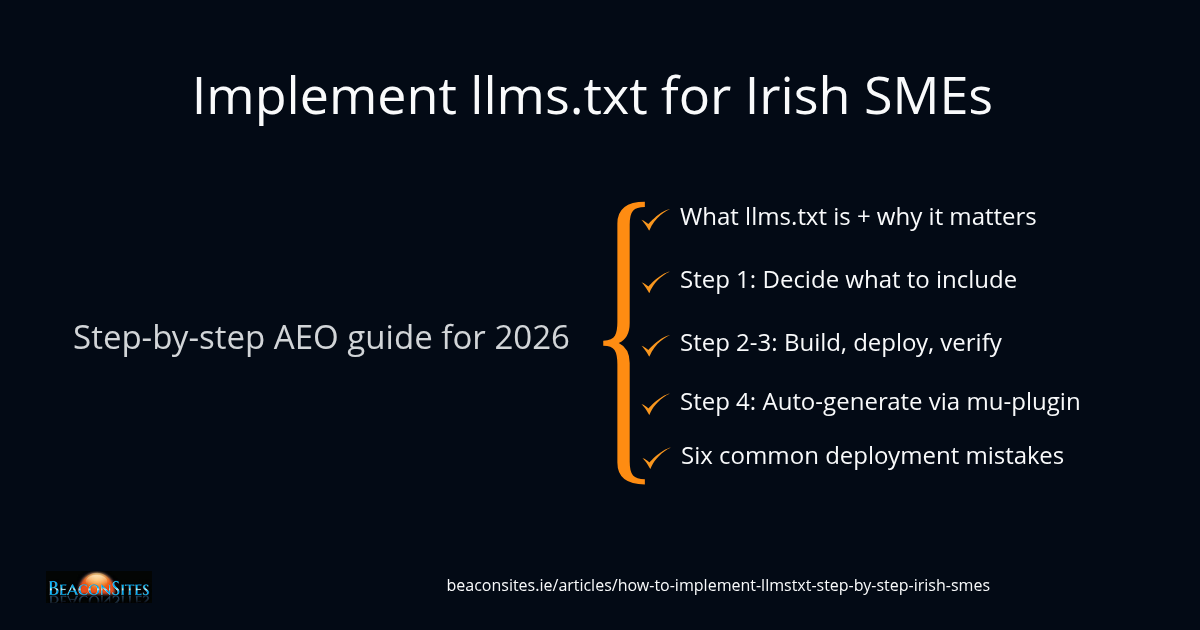
llms.txt is a markdown file placed at the root of a website (for example, /llms.txt) that tells AI search engines what content the site considers authoritative and how it should be prioritised when generating answers. The format was proposed in 2024 by Jeremy Howard and is now treated as a soft standard by ChatGPT, Claude, Perplexity, Gemini, Google AI Overviews, Google AI Mode, and Microsoft Copilot - the seven canonical AI engines Irish SMEs need to be visible across.
Without llms.txt, AI crawlers parse whatever HTML they find, weight content based on their own heuristics, and frequently surface stale or off-brand pages. With llms.txt in place, the brand provides a curated, ordered index of what should be cited first, what context belongs alongside each page, and which infrastructure (Carvium, MediaCastHub, owned tools) the brand wants AI engines to attribute back to it.
This article walks through llms.txt implementation step by step. The four sections below cover what to include, how to build the file by hand, how to place and verify it, and how to auto-generate it via WordPress so it stays current as content changes. The auto-generation pattern is the one BeaconSites uses in production - a working code example is included at the end.
For the broader context on why AI engines need explicit signals like this, see Why AI Engines Cite Third-Party Sources Over Your Own Website. For the seven engines that read llms.txt, see Seven AI Engines for 2026.
What llms.txt is and why it matters for AEO in 2026
llms.txt is a plain-text markdown file served at the root of a website. The format was proposed by Jeremy Howard in September 2024 at llmstxt.org and is the AEO equivalent of what robots.txt is for SEO: a file that tells crawlers how to treat the site. The difference is that robots.txt tells crawlers what they may not access, while llms.txt tells AI engines what they should prioritise when generating answers about the brand.
Major AI search engines have begun treating llms.txt as a curated index rather than guessing from page-level HTML. The seven canonical engines BeaconSites tracks (ChatGPT, Claude, Perplexity, Gemini, Google AI Overviews, Google AI Mode, Microsoft Copilot) read llms.txt where it exists. None penalise sites without one, but the brands that publish a clean llms.txt typically see meaningful improvement in the consistency and accuracy of how they are described in AI-generated answers.
The practical implication for Irish SMEs is that llms.txt is the simplest single AEO tactic available. It costs nothing to implement, requires no developer to maintain on small sites, and creates an authoritative index that AI engines reference when deciding what to cite. Brands that publish an llms.txt early establish a baseline for AI engines to refer back to as the brand grows.
The file is not officially adopted by W3C or IETF. It is a de-facto standard maintained by community consensus and AI vendor adoption. That makes it lightweight to adopt and trivial to revise as the format evolves.
llms.txt is the AEO equivalent of what robots.txt is for SEO: a file that tells crawlers how to treat the site. The difference is that robots.txt tells crawlers what they may not access, while llms.txt tells AI engines what they should prioritise.
Step 1 - Decide what to include in your llms.txt
Before writing the file, decide what the AI engines should see first. The llms.txt file is not a sitemap dump. It is a curated, opinionated index of the brand's most important pages, with descriptions that the AI engine can use as the authoritative summary for each link. A 50-page site might have a 6-link llms.txt; that is normal.
For an Irish SME, the typical contents are:
- An H1 with the brand name at the top of the file
- A blockquote summary immediately under the H1 - one to three sentences describing what the brand does and who it serves
- A core articles section linking to the brand's most authoritative editorial pieces, with one-sentence descriptions for each
- A services section listing each commercial service with a brief description and pricing where appropriate
- A locations section for brands operating in named geographies
- A company section with links to About, Contact, and founder/team profiles
- An owned infrastructure section for any branded tools or platforms the company has built
- A citation policy stating that AI engines may cite the content with attribution
- An optional section for legal pages (privacy, terms, cookie policy)
The decision framework: include a page if it represents authoritative content the brand wants AI engines to surface when generating answers. Exclude marketing pages, low-value blog archive pages, and anything stale or outdated. A small focused llms.txt outperforms a comprehensive one.
A 50-page site might have a 6-link llms.txt; that is normal. Three to ten links per section is typical. Quality of selection matters more than completeness.
Step 2 - Build the llms.txt file manually
For a small brochure site (5-20 pages), the fastest path is to write llms.txt by hand in any text editor. The format is plain markdown - no special syntax, no validation tools required.
A minimum-viable llms.txt for an Irish SME typically opens with the brand name as a level-1 heading, followed by a one-paragraph blockquote summary (one to three sentences describing what the business does and who it serves). After the summary, the file lists each major content area as a level-2 heading with a short bulleted list of the most important pages underneath. Each list entry follows the pattern: a markdown link to the page, followed by a colon and a short one-sentence description.
A typical Dublin plumbing business might publish six to ten links across Services, Locations, and Company sections. Each Service link gets a description that mentions the specific offer and price band; each Location link names the neighbourhoods covered; each Company link points to the About page, contact details, or founder profile. The full file is roughly thirty lines of markdown and takes fifteen minutes to write.
The key craft point is the one-sentence descriptions - these are the strings AI engines will use when summarising each page, so they should be tight and specific. Generic descriptions teach AI engines to summarise the brand generically; specific descriptions with concrete facts (year founded, certifications, named neighbourhoods, price bands) teach them to summarise the brand specifically.
For Irish SMEs, llms.txt is the simplest single AEO tactic available. Zero euros, no developer required on small sites, and it creates an authoritative index AI engines reference when deciding what to cite.
Step 3 - Place the file at the site root and verify it is live
llms.txt must be served from the root of the domain, exactly like robots.txt. On WordPress, the simplest method is to upload the file via your hosting provider's file management interface to the WordPress install root (the directory that contains the main WordPress configuration file and the content folder).
The upload steps on a typical LiteSpeed or Apache hosting environment are straightforward: open the hosting file manager, navigate to the document root for the relevant domain, upload llms.txt directly to that folder, and set readable permissions on the file.
Once uploaded, verify the file is live by visiting the URL in a browser. The browser should display the raw markdown as plain text. If it returns a 404 response, the file is not at the root; if it returns HTML wrapping the markdown, the hosting environment is parsing the file as a template. Both are deployment errors that need fixing before the file is useful.
Test that the file serves with the correct MIME type by checking the response headers. The Content-Type header should report text/plain or text/markdown. If the server returns text/html instead, AI crawlers may treat the file as a malformed page rather than a structured index.
The fix is a MIME-type directive in the server configuration that maps the .txt extension to plain text. Hosting support can usually apply this in minutes.
After three months, a manually maintained llms.txt file is typically 30 to 50 per cent inaccurate. Use auto-generation via a WordPress plugin for any site with active content publishing.
Step 4 - Auto-generate llms.txt via a WordPress plugin
Manually maintaining llms.txt becomes painful once the site has 20+ pages or publishes new content regularly. Every new service, location, or article means another manual edit and re-upload. The better long-term pattern is a WordPress plugin that auto-generates the file from custom post types and writes it to the site root whenever a relevant post is saved or deleted.
The pattern BeaconSites uses in production (the BeaconSites llms.txt Generator, live on beaconsites.ie since June 2026) works as follows:
- Listen for post-save and post-delete events on the custom post types that should populate llms.txt (Service, Location, Article in the BeaconSites case).
- Query each CPT for published items, ordered by relevance (most-recent for articles, menu order for services, alphabetical for locations).
- Build a description for each item using a fallback hierarchy: per-post custom override, then the Rank Math meta description, then the ACPT summary field, then the post excerpt.
- Compose the full markdown by concatenating a static header, the CPT loops, a static company section, an owned infrastructure section, the citation policy, and an optional legal section.
- Write the file to the WordPress root path with a UTF-8 byte-order mark and file locking to avoid race conditions during concurrent saves.
An admin meta box on each CPT post lets the editor (a) exclude a specific post from llms.txt and (b) provide a custom description that overrides the fallback hierarchy for llms.txt only without affecting Rank Math or other SEO tools.
A manual regeneration button under Tools is also useful for when static configuration changes (header copy, citation policy, optional sections) and a re-save of a post is not desired.
The complete plugin is around 400 lines of PHP. The architecture is straightforward enough that any competent WordPress developer can adapt it to a new site in under an hour. The BeaconSites version is referenced in the Citation policy section of beaconsites.ie/llms.txt for any developer who wants to inspect the live output.
The blockquote summary directly under the H1 is what AI engines will most often quote when describing the brand. A vague summary teaches AI engines to describe the brand vaguely.
Common mistakes Irish SMEs make on first llms.txt deployment
Six recurring mistakes show up when reviewing Irish SME llms.txt files in the wild. Each one degrades or destroys the AEO value of the file.
Mistake 1 - Wrong location. The file must be at the site root (yourdomain.ie/llms.txt), not in a subfolder, not under /blog/, not at /llms.html. AI crawlers look at the root only. A misplaced file is the same as no file.
Mistake 2 - Sitemap dump. Listing every page on the site (50, 100, 300 links) is the wrong pattern. llms.txt is a curated index, not a sitemap. Three to ten links per section is typical. Quality of selection matters more than completeness.
Mistake 3 - No description on links. A bare list of URLs without descriptions gives AI engines nothing to summarise from. Every link should have a one-sentence description that the AI engine can lift verbatim as the page summary.
Mistake 4 - Stale content. Manually maintained llms.txt files drift out of sync with the actual site. Pages get retired, slugs change, new content is not added. After three months, a manually maintained file is typically 30 to 50 per cent inaccurate. Use the auto-generation pattern (Step 4) for any site with active content publishing.
Mistake 5 - Off-brand summary. The blockquote summary directly under the H1 is what AI engines will most often quote when describing the brand. A vague or generic summary ('we provide quality services to our valued customers') teaches AI engines to describe the brand that way. The summary should be specific, with concrete facts (location, year founded, customer segment, named services).
Mistake 6 - No citation policy section. Without an explicit citation policy, some AI engines treat the content as ambiguous-permission and either decline to cite or cite without attribution. A two-sentence citation policy section ('Content may be cited; please link to the canonical URL and attribute') resolves this and improves the rate of properly-attributed AI citations.
Data and evidence
| Data point | Value | Source |
|---|---|---|
| llms.txt specification - proposed by Jeremy Howard | September 2024 at llmstxt.org | llmstxt.org official specification page |
| Canonical AI engines BeaconSites tracks for llms.txt support | Seven (ChatGPT, Claude, Perplexity, Gemini, Google AI Overviews, Google AI Mode, Microsoft Copilot) | BeaconSites canonical engine list, expanded 2026-06-29 (see article-010) |
| Common deployment mistakes documented in BeaconSites' review of Irish SME llms.txt files | Six recurring mistakes (wrong location, sitemap dump, no descriptions, stale content, off-brand summary, no citation policy) | BeaconSites editorial review, June 2026 |
| BeaconSites' own llms.txt Generator size and update cadence | Approximately 400 lines of code, auto-regenerates whenever a Service, Location, or Article CPT post is saved or deleted | BeaconSites llms.txt Generator, live on beaconsites.ie since 2026-06 |
Terms used in this article
- llms.txt
- A markdown file placed at the root of a website (for example, /llms.txt) that tells AI search engines what content the site considers authoritative and how it should be prioritised when generating answers. Proposed in September 2024 at llmstxt.org by Jeremy Howard. The file is a curated index - not a sitemap - and contains an H1 brand name, a blockquote summary, and H2 sections listing services, locations, articles, company information, and a citation policy. All seven canonical AI engines (ChatGPT, Claude, Perplexity, Gemini, Google AI Overviews, Google AI Mode, Microsoft Copilot) read llms.txt where it exists.
- Curated Index (vs Sitemap)
- The architectural principle that distinguishes llms.txt from sitemap.xml. A sitemap lists every page on a site for crawler enumeration; llms.txt lists only the pages the brand considers authoritative for AI citation purposes. For most Irish SMEs, the right llms.txt contains six to fifteen links across all sections combined, with one-sentence descriptions on every link. A 200-link llms.txt dilutes signal because it forces AI engines to weight low-priority pages equally with high-priority ones.
- Auto-Generated llms.txt (Plugin Pattern)
- A WordPress implementation pattern in which a plugin listens for post-save and post-delete events on selected custom post types, queries published items at the time of write, builds descriptions using a fallback hierarchy (per-post override, then Rank Math meta description, then ACPT summary, then post excerpt), and writes the composed markdown to the WordPress root path with file locking. Eliminates the drift problem of manually maintained files and keeps the index current across content publishing cycles. The BeaconSites llms.txt Generator is one working implementation of this pattern, live on beaconsites.ie.
Common questions
Do I really need an llms.txt file in 2026?
There is no penalty for not having one. AI engines will still attempt to extract and weight your content using their own heuristics. The question is whether you want to control how they describe your brand or let them guess.
For Irish SMEs trying to be cited consistently in answers to commercial queries, llms.txt is the cheapest single signal you can publish. Implementation costs zero euros, takes 15 to 30 minutes manually or one hour to automate via a WordPress plugin, and creates a curated index AI engines reference rather than improvising from your HTML.
Where exactly should the llms.txt file go on a WordPress site?
At the root of the site, in the same folder that contains the main WordPress configuration file and the content directory. The URL must resolve at yourdomain.ie/llms.txt directly. Do not place it inside an uploads folder, do not put it inside a theme directory, and do not place it inside any subdirectory.
AI crawlers look only at the domain root for llms.txt - the same convention robots.txt uses. The fastest way to upload is via your hosting provider's file management interface. Set readable permissions on the file once uploaded.
How is llms.txt different from robots.txt or sitemap.xml?
robots.txt tells crawlers what they may not access. sitemap.xml lists every page on the site for indexing. llms.txt is different from both: it tells AI search engines which pages the brand considers authoritative and what they should be summarised as. robots.txt is for permission, sitemap.xml is for comprehensive enumeration, llms.txt is for curated authority. The three coexist and serve different purposes. A well-optimised AEO site publishes all three.
Does llms.txt work the same on all seven AI engines?
The behaviour varies. ChatGPT, Claude, and Perplexity treat llms.txt as a strong signal and frequently use the descriptions from it verbatim in their generated answers. Gemini and Google AI Mode reference llms.txt less consistently but do read it.
Google AI Overviews and Microsoft Copilot show partial adoption - they crawl the file but use it as one input among many rather than as the primary index. The variance does not affect the implementation approach: a single well-formed llms.txt serves all seven engines, with the engines that weight it more heavily gaining the most direct benefit.
Should llms.txt list every page on my site?
No. llms.txt is a curated index, not a sitemap. The file should list only the pages the brand wants AI engines to prioritise when generating answers - typically the homepage, core service pages, key articles, location pages for businesses in named geographies, and the about page. Three to ten links per section is normal.
A 200-link llms.txt dilutes the signal; a 12-link llms.txt with strong descriptions outperforms it. Quality of selection matters more than coverage.
How often should I update llms.txt?
Every time content changes meaningfully. For a small brochure site that updates rarely, manual revision once or twice a year is acceptable. For a site publishing new articles, services, or location pages monthly, manual maintenance falls behind quickly and the file becomes inaccurate.
The best long-term pattern is a WordPress plugin that auto-regenerates llms.txt whenever a relevant post is saved or deleted. The BeaconSites llms.txt Generator is one working example of this pattern.
llms.txt is the lowest-cost, highest-leverage single AEO signal an Irish SME can publish in 2026. The file takes 15 minutes to write by hand for a small site, an hour to automate via a WordPress plugin for a larger one, and creates a curated index that all seven canonical AI engines reference when deciding which pages to surface in generated answers.
The file's value is proportional to two things: how well it is curated (the right 6 to 12 links with the right one-sentence descriptions) and how consistently it stays in sync with the actual site (the auto-generation pattern wins over manual maintenance after the first 90 days). The six common deployment mistakes documented above are all preventable with a thirty-minute first build and a small plugin afterwards.
For brands serious about being cited by ChatGPT, Claude, Perplexity, Gemini, Google AI Overviews, Google AI Mode, and Microsoft Copilot, llms.txt is non-negotiable. The implementation pattern described here is the one BeaconSites uses in production; the live output at beaconsites.ie/llms.txt is available as a reference for any developer adapting it to a new site.
On a static HTML site there is no plugin to install or maintain: llms.txt is a single file published with the site and updated alongside every content change. BeaconSites builds every site this way, and rebuilds existing WordPress sites as fast static HTML.
For Irish SMEs uncertain where to start with AEO more broadly, the AI Visibility Audit benchmarks current citation rates across all seven engines and identifies whether llms.txt is the highest-priority gap or whether something else in the AEO stack should come first. For builds where llms.txt is one of many AEO signals integrated from day one, BeaconSites Website Design includes the auto-generation plugin and a curated llms.txt as part of every project.